
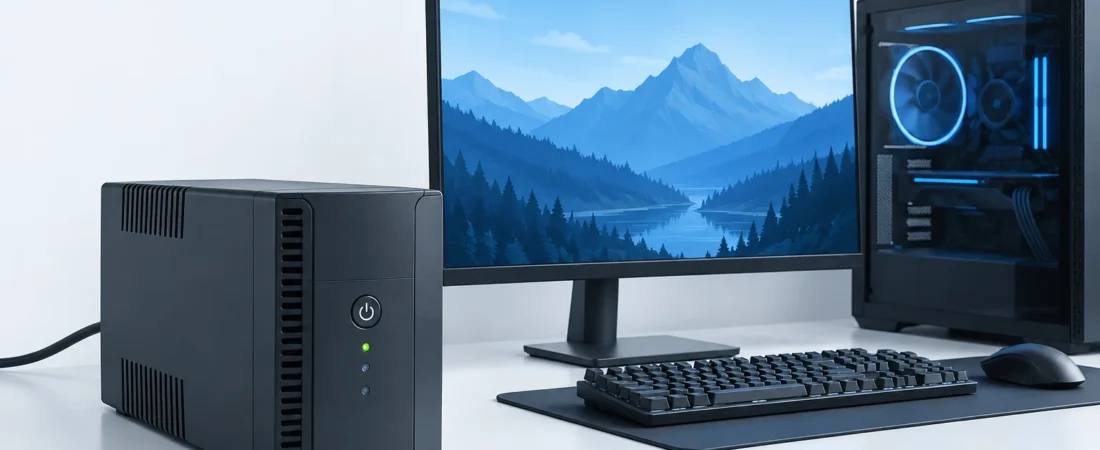
Choose a UPS that can support the actual watts and volt-ampere of your connected devices, and check if the runtime at that load gives you enough time to save and shut down. There are two independent requirements. I’d choose reliable shutdown time over an impressive capacity number that creates a race against a battery alarm.[1][2]
Your PC’s 850 W power supply doesn’t mean your PC draws 850 W. That rating is related to the output capacity of the supply. A UPS can keep a tower running with a display and other peripherals through a short power outage. Continued gaming is a bigger battery requirement than finishing a save and shut down.[2]
Start with what you need to keep powered
Picture me, in an imagined outage, hearing the UPS beep while my tower stays on and my monitor goes black. My unfinished document is still there, but I can’t see it. I’d be annoyed at that very avoidable snag, and move one monitor onto battery backup before spending another dollar on capacity. The useful purchase starts with an equipment list.
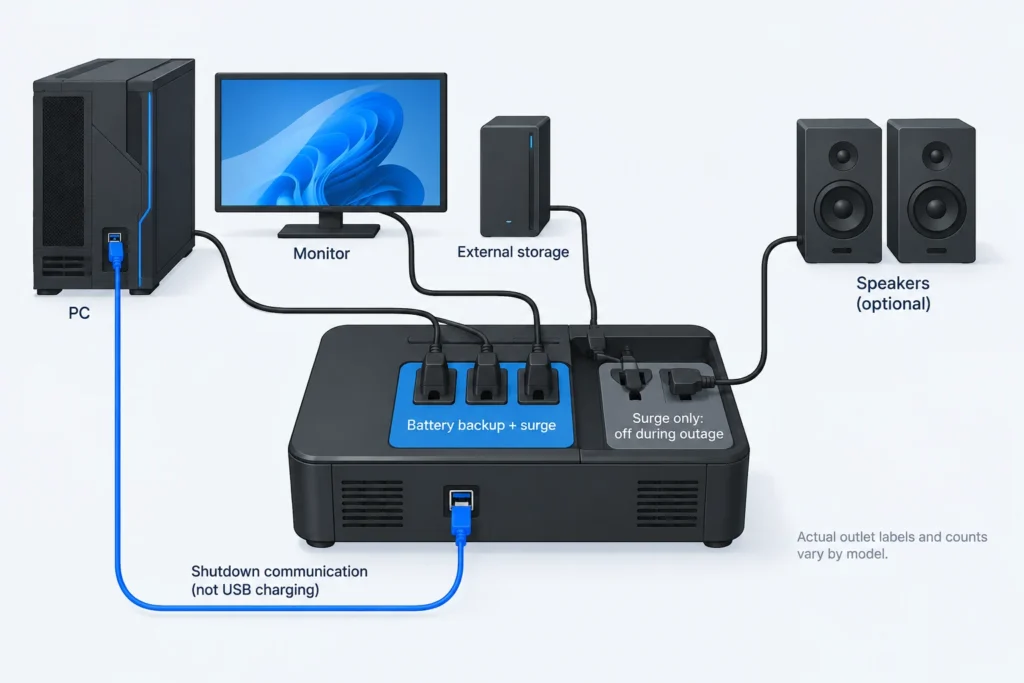
For manual saving, I’d count the tower, one monitor, and any externally powered storage needed to finish your work. Add your router and modem or fiber terminal if network access matters. Keeping those devices powered preserves your side of the connection; it cannot keep your internet provider’s equipment running.[2]
The outlet labels matter more than the outlet count. Battery-backed outlets keep supplying power during an outage; surge-only outlets go off. CyberPower’s US CP1500PFCLCD, for example, lists six of each. Put optional speakers or a second display on surge-only outlets if you don’t need them during an outage, leaving the battery for equipment that helps you save. Laser printers, heaters, and other high-draw equipment excluded by the unit’s manual belong off the UPS altogether.[4][9][11]
Measure the load, not the PSU label
Before you spend more money on a UPS, you should get a wall power reading. Find out how much your equipment uses on its own and how much it uses when you're doing your work and when it's doing a demanding task. To get the most accurate reading, use the equipment you plan to put on the UPS and get a reading for all of them combined or separate and add them up.[2][3]
The Kill A Watt P4400 has a feature where it reads power factor and VA along with watts. When it comes to reading what your equipment uses, this is a lot more useful than a sum of what your components are rated for. If you don't have the Kill A Watt or anything like it, label your estimates as estimates.[2][3]
Watts describe real power consumed. Volt-amperes describe apparent power, which is based on AC voltage and current. Their relationship is VA = watts ÷ load power factor. A UPS has limits for both and your equipment must fit under both. Don't use the UPS's own watt-to-VA rating as your PC's power factor, or assume one universal conversion factor.[1]
For illustrative purposes, not an actual measurement of your PC, let's say your equipment comes to a total of 500 W and 560 VA under gaming load. Adding a 25% planning allowance gives 625 W and 700 VA as minimum shopping thresholds. APC recommends approximately 20-25% watt headroom. In this case, I’m applying the same recommendation for VA as a conservative screening choice. This is breathing room, not a guarantee against every transient or compatibility problem.[1][2]
Runtime is a second purchase decision
How long does saving and shutting down actually take you? You'll also need time to notice the outage. Once you've saved and shut down, check the candidate UPS's manufacturer runtime curve (or use their online calculator) at your connected load. For the purpose of illustration, let's assume you need to run your UPS for five minutes to get your work done. However, we can’t say this is enough time for your work; it really depends. A runtime headline without its load is barely useful.[2][5]
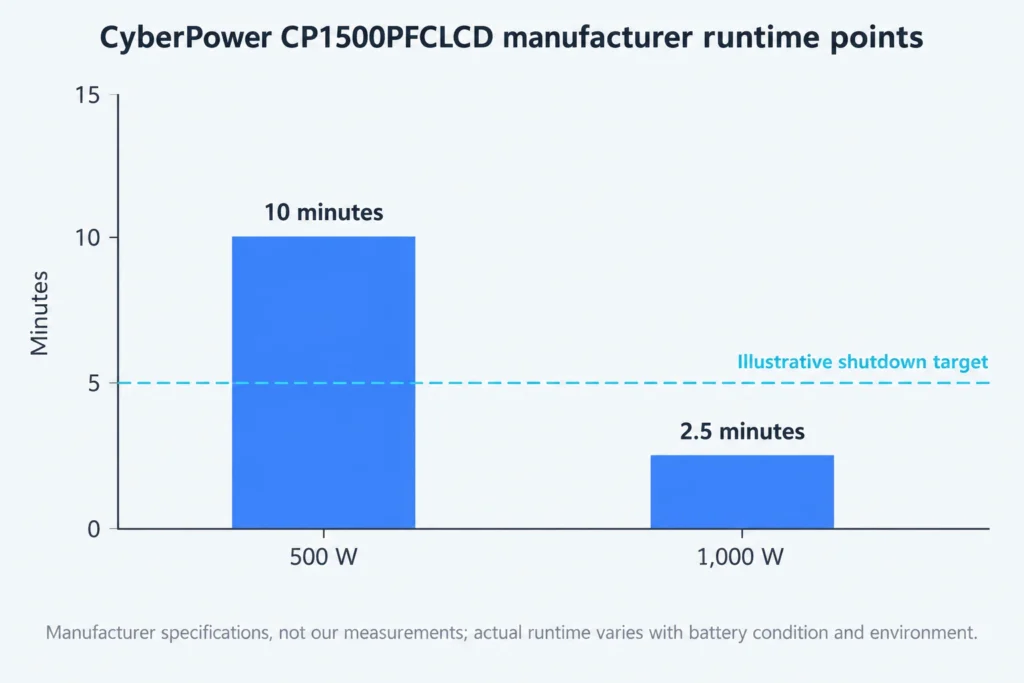
The CP1500PFCLCD is rated at 1500VA/1000W. According to the manufacturer's specifications, it is rated at 10 minutes at 500 W, and 2.5 minutes at 1000 W. These are manufacturer's estimates, not our measurements. Based on a representative load of 500 W/560 VA, it clears output limits, and runtimes are longer than the 5 minute target. At 1000 W, it reaches its limit and is short of the target.[4][11]
Notice how listed runtimes are cut nearly in half by doubling the load. Don't extrapolate a straight line from these two examples. Your idle desktop may run much longer than your game, but I can't assign it a definite number without measuring your desktop's consumption and runtime. Nor would I dimension for an idle load and hope you happen to be idle when the outage occurs.[2][4][11]
Closing a game can relieve the load on the UPS, but it must be able to support the gaming load first. For planning purposes, take the manufacturer's estimates for endurance. These assume a fully charged, new battery. Endurance varies significantly with battery condition and environment. If a unit just meets your target when new, I would prefer more endurance, not a larger VA label.[2][5][8]
Check waveform compatibility and the shutdown connection
Active PFC on a PSU’s specification sheet isn’t proof that all simulated-sine UPS’s would fail. Seasonic recommends pure-sine UPS’s, and states that a high-quality simulated-sine unit may be a possible solution. This is a qualified recommendation, not a certification. Look for your PSU manufacturer’s documented requirements and the UPS’s battery-mode waveform; in cases of unclear compatibility, I would support a documented pure-sine recommendation over an optimistic assumption.[6]
The UPS also requires a supported data connection and shutdown software to protect unattended systems. A USB charging port is not that connection. APC now recommends the use of PowerChute Serial Shutdown for its Personal and Business product editions, and states that older software names on their product sheets are not reliable for software downloads.[10]
After the software is connected to the UPS, it should be able to communicate with the UPS and display the status of the battery. Set the shutdown time to an early enough value to allow your OS to finish at your normal load. There are many other saving and backup strategies that depend on normal computer components and peripherals rather than the UPS’s battery.[7][10]
Be sure to save your work before testing. CyberPower has documentation showing how to run the manufacturer-supported battery self-test and a supported scheduled OS shutdown. The schedule test shows the software can initiate a shutdown of the PC, not if any of the outage-trigger settings work. The self-test can find issues with the battery, but neither test proves full-load runtime. Don't create an outage test by plug pull.[7]
Buy a battery you can maintain
APC gives a typical three-to-five-year life expectation for its VRLA batteries, with temperature and discharge history affecting life. That’s not a universal replacement deadline. Check the cost and availability of the approved replacement cartridge before buying; even cartridges for the same model name can depend on the unit’s serial number. Repeatedly draining the battery to keep gaming isn’t the use I’d buy it for.[4][8]
Install the UPS directly into the grounded wall receptacle specified for the unit; don’t defeat grounding or daisy-chain it with power strips. Grounding is part of its electrical protection. Use only approved battery replacements, never open sealed batteries, and add external battery packs only to models explicitly designed to accept them.[2][9]
Consider units that do not exceed load limits and provide the shutdown time required, given the load being protected. Also, include waveform and software units needed, if any. Paying for additional capacity not used does not make sense. If a less expensive unit meets the watt limit, and provides the runtime required, it has solved your problem.
Sources and references
- Eaton: VA Versus Watts
- Schneider Electric / APC: UPS buying guide: Choose the right battery backup
- P3 International: P4400 Kill A Watt Operation Manual
- CyberPower Systems: CP1500PFCLCD product specifications
- CyberPower: UPS Runtime Calculator
- Seasonic: What type of UPS does Seasonic recommend? (2020-12-29)
- CyberPower Systems: PowerPanel Personal Edition User Manual, Windows v2.4.6
- Schneider Electric / APC: What is the expected life of my APC UPS VRLA battery?
- CyberPower Systems; manufacturer manual hosted by B&H: CP1350PFCLCD / CP1500PFCLCD User’s Manual, K01-0000783-00
- Schneider Electric / APC: UPS Management Software Guide
- CyberPower Systems: CP1500PFCLCD datasheet